%20--%3e%3c!DOCTYPE%20svg%20PUBLIC%20'-//W3C//DTD%20SVG%201.1//EN'%20'http://www.w3.org/Graphics/SVG/1.1/DTD/svg11.dtd'%3e%3csvg%20version='1.1'%20xmlns='http://www.w3.org/2000/svg'%20xmlns:xlink='http://www.w3.org/1999/xlink'%20x='0px'%20y='0px'%20width='35px'%20height='34.999px'%20viewBox='0%200%2035%2034.999'%20enable-background='new%200%200%2035%2034.999'%20xml:space='preserve'%3e%3cg%20id='Background'%3e%3c/g%3e%3cg%20id='Graphic_Elements'%3e%3cg%3e%3cpath%20fill='%23FFFFFF'%20d='M27.298,25.315l-2.086-8.337c-0.207-0.938-1.041-1.563-1.979-1.563h-1.564v-1.563%20c0-0.313-0.209-0.522-0.521-0.522h-2.084c-0.313,0-0.521,0.21-0.521,0.522v1.563h-2.084v-1.563c0-0.313-0.209-0.522-0.521-0.522%20h-2.086c-0.311,0-0.52,0.21-0.52,0.522v1.563h-1.459c-1.043,0-1.877,0.626-2.086,1.563l-2.082,8.337%20c-0.314,1.355,0.729,2.607,2.082,2.607h15.529C26.567,27.923,27.608,26.671,27.298,25.315z%20M17.499,25.837%20c-2.293,0-4.168-1.875-4.168-4.167c0-2.293,1.875-4.171,4.168-4.171s4.17,1.878,4.17,4.171%20C21.669,23.962,19.792,25.837,17.499,25.837z'/%3e%3ccircle%20fill='%23FFFFFF'%20cx='17.499'%20cy='21.668'%20r='2.084'/%3e%3cpath%20fill='%23FFFFFF'%20d='M17.499,7.076c-5.73,0-10.422,1.877-10.422,4.274v1.979c0,0.627,0.521,1.043,1.043,1.043h2.918%20c0.834,0,1.355-0.833,0.938-1.563c-0.313-0.73,0.209-1.563,1.043-1.563h9.068c0.832,0,1.354,0.833,0.936,1.563%20c-0.416,0.729,0.105,1.563,0.938,1.563h2.92c0.627,0,1.043-0.521,1.043-1.043v-1.979C27.923,8.953,23.233,7.076,17.499,7.076%20L17.499,7.076z'/%3e%3c/g%3e%3c/g%3e%3c/svg%3e)
%20--%3e%3c!DOCTYPE%20svg%20PUBLIC%20'-//W3C//DTD%20SVG%201.1//EN'%20'http://www.w3.org/Graphics/SVG/1.1/DTD/svg11.dtd'%3e%3csvg%20version='1.1'%20xmlns='http://www.w3.org/2000/svg'%20xmlns:xlink='http://www.w3.org/1999/xlink'%20x='0px'%20y='0px'%20width='35px'%20height='34.999px'%20viewBox='0%200%2035%2034.999'%20enable-background='new%200%200%2035%2034.999'%20xml:space='preserve'%3e%3cg%20id='Background'%3e%3c/g%3e%3cg%20id='Graphic_Elements'%3e%3cpath%20fill='%23FFFFFF'%20d='M27.505,16.084c0-4.478-4.487-8.118-10.004-8.118c-5.518,0-10.006,3.641-10.006,8.118%20c0,4.014,3.558,7.375,8.366,8.012c0.326,0.068,0.77,0.215,0.883,0.493c0.1,0.254,0.065,0.65,0.032,0.904%20c0,0-0.117,0.706-0.143,0.855c-0.046,0.254-0.202,0.992,0.867,0.541c1.067-0.451,5.762-3.396,7.861-5.812h-0.001%20C26.81,19.49,27.505,17.876,27.505,16.084z%20M13.968,18.475c0,0.106-0.085,0.195-0.193,0.195h-2.802h-0.001%20c-0.052,0-0.099-0.021-0.136-0.055c0-0.002-0.001-0.002-0.003-0.004l-0.002-0.001c-0.033-0.037-0.055-0.084-0.055-0.136l0,0v-4.358%20c0-0.11,0.088-0.194,0.196-0.194h0.7c0.107,0,0.196,0.084,0.196,0.194v3.461h1.905c0.108,0,0.193,0.089,0.193,0.195V18.475z%20M15.662,18.475c0,0.106-0.086,0.195-0.194,0.195h-0.702c-0.107,0-0.195-0.089-0.195-0.195v-4.358c0-0.11,0.088-0.194,0.195-0.194%20h0.702c0.108,0,0.194,0.084,0.194,0.194V18.475z%20M20.492,18.475c0,0.106-0.086,0.195-0.194,0.195h-0.702%20c-0.018,0-0.032-0.004-0.05-0.006c-0.001,0-0.002,0-0.003-0.004c-0.004-0.001-0.01-0.001-0.013-0.001s-0.004-0.002-0.006-0.002%20c-0.004-0.002-0.007-0.003-0.01-0.006c-0.003,0-0.007-0.002-0.009-0.005c-0.003,0-0.004-0.002-0.007-0.002%20c-0.004-0.002-0.008-0.007-0.012-0.008c-0.001-0.002-0.001-0.002-0.002-0.002c-0.019-0.013-0.035-0.026-0.05-0.049l-2-2.701v2.59%20c0,0.106-0.088,0.195-0.195,0.195h-0.7c-0.108,0-0.196-0.089-0.196-0.195v-4.358c0-0.11,0.088-0.194,0.196-0.194h0.7%20c0.004,0,0.005,0,0.007,0c0.003,0,0.006,0,0.011,0c0.003,0,0.007,0,0.011,0c0.002,0.001,0.004,0.001,0.009,0.001%20c0.003,0,0.007,0.002,0.01,0.003c0.002,0,0.005,0,0.008,0.002c0.003,0,0.007,0.003,0.01,0.005c0.002,0,0.005,0.001,0.007,0.001%20c0.005,0.002,0.008,0.003,0.012,0.005c0.002,0.003,0.003,0.003,0.007,0.005c0.003,0.001,0.007,0.003,0.009,0.003%20c0.004,0.001,0.005,0.001,0.006,0.009c0.004,0,0.007,0.001,0.012,0.004c0.001,0,0.002,0.002,0.004,0.002%20c0.003,0.005,0.008,0.008,0.009,0.01c0.004,0,0.005,0.003,0.007,0.005c0.004,0.004,0.007,0.006,0.011,0.011c0,0,0,0,0,0.001%20c0.008,0.006,0.011,0.013,0.016,0.019l1.999,2.7v-2.59c0-0.11,0.086-0.194,0.194-0.194h0.702c0.108,0,0.194,0.084,0.194,0.194%20V18.475z%20M24.367,14.817c0,0.107-0.086,0.193-0.195,0.193h-1.906v0.741h1.906c0.109,0,0.195,0.086,0.195,0.192v0.702%20c0,0.106-0.086,0.194-0.195,0.194h-1.906v0.736h1.906c0.109,0,0.195,0.089,0.195,0.195v0.702c0,0.106-0.086,0.195-0.195,0.195%20h-2.803l0,0c-0.053,0-0.1-0.021-0.134-0.055c-0.003-0.002-0.003-0.004-0.003-0.004L21.23,18.61%20c-0.035-0.037-0.056-0.084-0.056-0.136l0,0v-4.358l0,0c0-0.055,0.021-0.101,0.053-0.135c0.003-0.002,0.004-0.002,0.005-0.002%20c0-0.003,0-0.003,0.001-0.004c0.036-0.032,0.083-0.054,0.136-0.054l0,0h2.803c0.109,0,0.195,0.084,0.195,0.194V14.817z'/%3e%3c/g%3e%3c/svg%3e)
%20--%3e%3c!DOCTYPE%20svg%20PUBLIC%20'-//W3C//DTD%20SVG%201.1//EN'%20'http://www.w3.org/Graphics/SVG/1.1/DTD/svg11.dtd'%3e%3csvg%20version='1.1'%20xmlns='http://www.w3.org/2000/svg'%20xmlns:xlink='http://www.w3.org/1999/xlink'%20x='0px'%20y='0px'%20width='35px'%20height='34.999px'%20viewBox='0%200%2035%2034.999'%20enable-background='new%200%200%2035%2034.999'%20xml:space='preserve'%3e%3cg%20id='Background'%3e%3c/g%3e%3cg%20id='Graphic_Elements'%3e%3cpath%20fill='%23FFFFFF'%20d='M22.57,18.779l0.606-3.945h-3.785v-2.559c0-1.078,0.529-2.131,2.224-2.131h1.721V6.785%20c0,0-1.562-0.268-3.055-0.268c-3.115,0-5.154,1.891-5.154,5.311v3.006h-3.463v3.945h3.463v9.535%20c0.695,0.109,1.407,0.166,2.133,0.166s1.438-0.057,2.132-0.166v-9.535H22.57z'/%3e%3c/g%3e%3c/svg%3e)
%20--%3e%3c!DOCTYPE%20svg%20PUBLIC%20'-//W3C//DTD%20SVG%201.1//EN'%20'http://www.w3.org/Graphics/SVG/1.1/DTD/svg11.dtd'%3e%3csvg%20version='1.1'%20xmlns='http://www.w3.org/2000/svg'%20xmlns:xlink='http://www.w3.org/1999/xlink'%20x='0px'%20y='0px'%20width='35px'%20height='34.999px'%20viewBox='0%200%2035%2034.999'%20enable-background='new%200%200%2035%2034.999'%20xml:space='preserve'%3e%3cg%20id='Background'%3e%3c/g%3e%3cg%20id='Graphic_Elements'%3e%3cg%3e%3cg%3e%3cpath%20fill='%23FFFFFF'%20d='M17.5,8.955c2.784,0,3.112,0.011,4.211,0.06c1.017,0.048,1.568,0.218,1.935,0.358%20c0.488,0.19,0.835,0.415,1.201,0.781c0.363,0.364,0.59,0.713,0.778,1.199c0.144,0.366,0.313,0.918,0.358,1.935%20c0.051,1.1,0.062,1.426,0.062,4.211c0,2.784-0.011,3.112-0.062,4.21c-0.045,1.019-0.215,1.571-0.358,1.938%20c-0.188,0.484-0.415,0.832-0.778,1.197c-0.366,0.364-0.713,0.59-1.201,0.78c-0.366,0.142-0.918,0.312-1.935,0.358%20c-1.099,0.049-1.427,0.061-4.211,0.061c-2.783,0-3.112-0.012-4.211-0.061c-1.016-0.047-1.569-0.217-1.937-0.358%20c-0.486-0.19-0.834-0.416-1.198-0.78c-0.364-0.365-0.59-0.713-0.78-1.197c-0.143-0.367-0.311-0.92-0.356-1.938%20c-0.051-1.098-0.062-1.426-0.062-4.21c0-2.785,0.011-3.111,0.062-4.211c0.046-1.017,0.214-1.568,0.356-1.935%20c0.19-0.486,0.416-0.835,0.78-1.199c0.364-0.366,0.712-0.591,1.198-0.781c0.367-0.141,0.921-0.311,1.937-0.358%20C14.388,8.966,14.717,8.955,17.5,8.955%20M17.5,7.076c-2.83,0-3.186,0.013-4.297,0.063c-1.108,0.051-1.867,0.227-2.532,0.484%20C9.987,7.891,9.407,8.246,8.825,8.825c-0.577,0.581-0.934,1.159-1.201,1.847c-0.257,0.664-0.434,1.421-0.484,2.53%20c-0.05,1.111-0.063,1.465-0.063,4.297c0,2.831,0.013,3.187,0.063,4.298c0.051,1.109,0.228,1.865,0.484,2.528%20c0.268,0.687,0.624,1.268,1.201,1.848c0.582,0.578,1.162,0.936,1.846,1.201c0.665,0.259,1.424,0.436,2.532,0.484%20c1.111,0.05,1.467,0.064,4.297,0.064c2.831,0,3.186-0.015,4.299-0.064c1.108-0.049,1.865-0.226,2.527-0.484%20c0.688-0.266,1.268-0.623,1.847-1.201c0.579-0.58,0.937-1.161,1.204-1.848c0.256-0.663,0.432-1.419,0.483-2.528%20c0.051-1.111,0.063-1.467,0.063-4.298c0-2.832-0.012-3.186-0.063-4.297c-0.052-1.109-0.228-1.866-0.483-2.53%20c-0.268-0.688-0.625-1.266-1.204-1.847c-0.579-0.579-1.159-0.935-1.847-1.202c-0.662-0.258-1.419-0.434-2.527-0.484%20C20.686,7.089,20.331,7.076,17.5,7.076L17.5,7.076z'/%3e%3cpath%20fill='%23FFFFFF'%20d='M17.5,12.146c-2.954,0-5.352,2.398-5.352,5.354c0,2.956,2.397,5.352,5.352,5.352%20c2.956,0,5.353-2.396,5.353-5.352C22.853,14.544,20.456,12.146,17.5,12.146z%20M17.5,20.974c-1.919,0-3.476-1.557-3.476-3.475%20s1.557-3.475,3.476-3.475c1.918,0,3.476,1.557,3.476,3.475S19.418,20.974,17.5,20.974z'/%3e%3ccircle%20fill='%23FFFFFF'%20cx='23.063'%20cy='11.937'%20r='1.251'/%3e%3c/g%3e%3c/g%3e%3c/g%3e%3c/svg%3e)
Do you really need a HomePod or Apple TV to use HomeKit?
使用 HomeKit 一定要有 HomePod 或 Apple TV 嗎?
A common question when planning an Apple smart home: do I need a HomePod? Can I use HomeKit with just an iPhone? Is a home hub mandatory? The honest answer — not always, but there is a real difference.
1. What HomeKit gives you
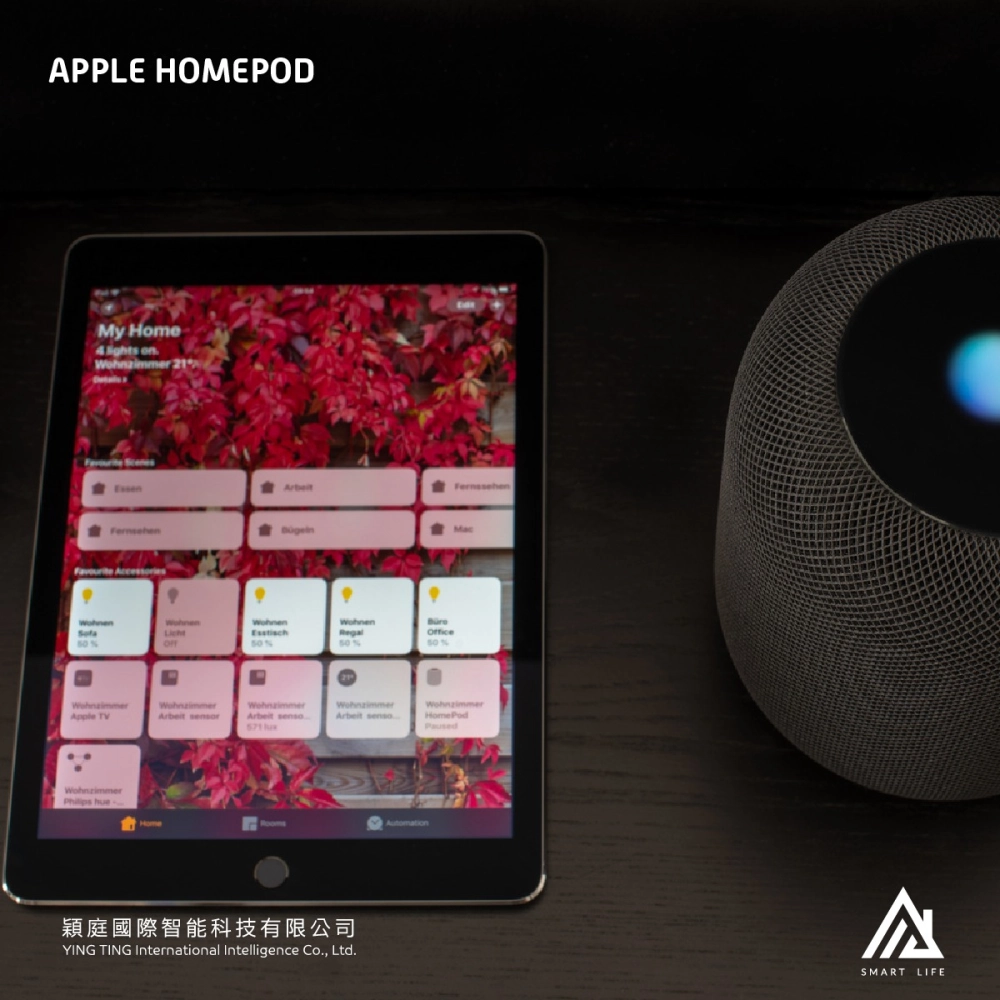
HomeKit is Apple's smart-home platform. It brings every HomeKit-certified accessory into the Home app — control lighting from your phone, build scene-based automations, use Siri voice, and manage your home remotely.
2. Using HomeKit without a hub
With only an iPhone you can still control devices on your home Wi-Fi, switch lights and AC manually, and use basic Siri commands. But functionality is limited to your local network.
3. Why a home hub matters
- Remote control — adjust lights or AC from anywhere in the world.
- Reliable automation — schedules and triggers run consistently.
- Always-on coordination — the hub keeps accessories in sync.
4. HomePod vs Apple TV
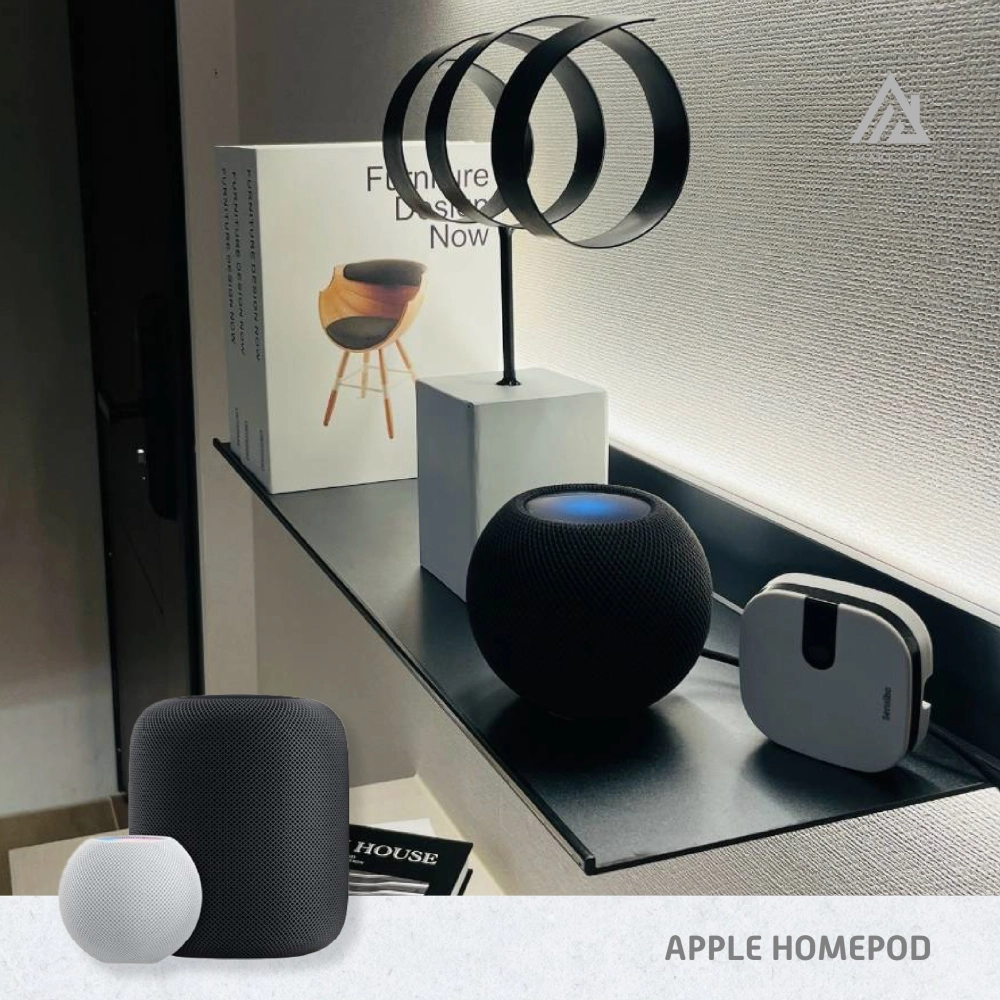
Both can serve as a home hub. HomePod adds room-filling sound and hands-free Siri; Apple TV adds 4K entertainment with hub duties on the side. For a true voice-driven smart home, HomePod is typically the better choice.
5. The professional difference
Buying devices isn't the same as building a system. Network topology, hub placement, device compatibility, and scene design all matter. That is where proper planning pays off.